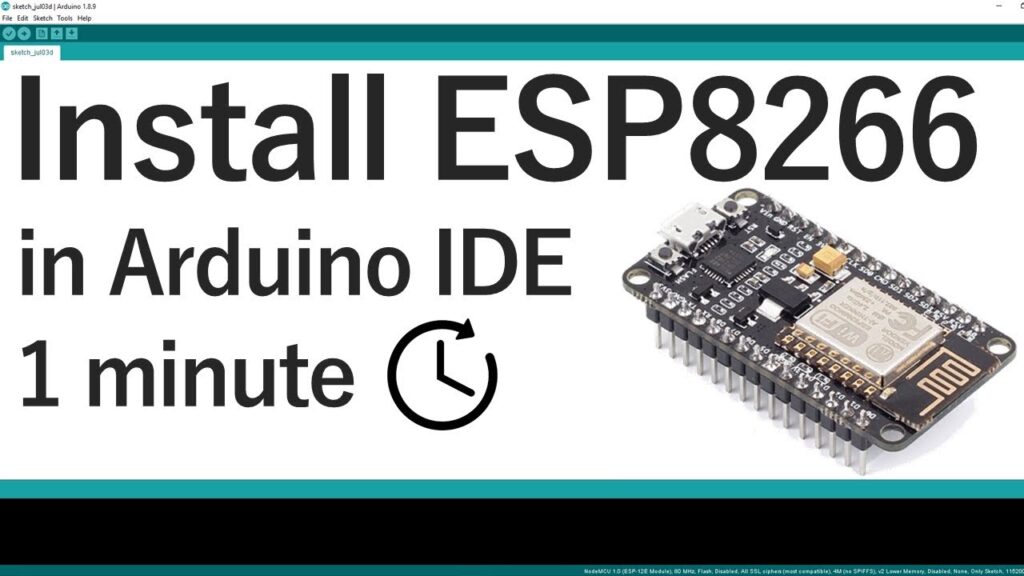
Полное руководство по установке платы ESP8266 в Arduino IDE (обновление 2026 года)
Prerequisites: What You Need Before Starting
Before proceeding with the ESP8266 board installation, ensure you have these components ready:
Latest Arduino IDE: Download version 2.3.0 or newer from the official Arduino website. Older versions (particularly pre-1.6.4) lack essential framework support for ESP8266.
ESP8266 Совет по развитию: Popular options include NodeMCU (ESP-12E), Wemos D1 Mini, or ESP-01. Each has slightly different programming requirements.
USB-кабель: For boards with built-in USB-to-serial converters (like NodeMCU).
FTDI Programmer: Required for boards without USB interfaces (like ESP-01).
Drivers: Depending on your chipset, you may need CP210x or CH340 drivers. We provide updated links in our troubleshooting section.
Critical Note for Linux Users: The Arduino IDE in some Linux repositories (like Ubuntu) may be outdated. Always download directly from Arduino.cc rather than using package managers to avoid version conflicts.
Step-by-Step Installation Process
1. Configure Board Manager URLs
Launch Arduino IDE and navigate to File → Preferences (Windows/Linux) or Arduino IDE → Preferences (macOS).
In the “Additional Boards Manager URLs” field, enter:
Locate “ESP8266 by ESP8266 Community” (this is the official package)
Click the “Install” button
The installation typically takes 2-5 minutes depending on your internet connection. You’ll see a progress bar indicating the download and installation of:
Version Note: As of January 2026, version 3.1.2 is stable. We recommend against using “latest” (development) versions for beginners due to potential instability.
3. Select Your Specific Board
After installation completes, navigate to Tools → Board → ESP8266 Boards. You’ll find approximately 30 different board variants. Selecting the correct one is crucial:
NodeMCU 1.0 (ESP-12E Module): Most common for development boards
Wemos D1 R2 & mini: For Wemos/LOLIN boards
Generic ESP8266 Module: For custom or unidentified boards
ESP-01 Series: For the minimal 8-pin modules
Each selection automatically configures the optimal Flash Size, CPU Frequency, Upload Speed, and other parameters. For generic modules, you may need to adjust these settings manually based on your chip’s specifications.
Verifying Installation with LED Blink Test
Hardware Connections
For NodeMCU/ESP-12E boards with built-in LED:
Built-in LED typically connects to GPIO2 (marked as D4 on NodeMCU)
No external components needed
Simply connect via USB cable
For external LED test:
текст
ESP8266 GPIO2 → 220Ω resistor → LED anode (+)
LED cathode (-) → ESP8266 GND
For ESP-01 boards:
Requires FTDI programmer with these connections:
ESP8266 RX → FTDI TX
ESP8266 TX → FTDI RX
ESP8266 CH_PD → 3.3V
ESP8266 GPIO0 → GND (during programming only!)
ESP8266 VCC → 3.3V (NOT 5V!)
ESP8266 GND → FTDI GND
Critical Voltage Warning: ESP8266 is a 3.3V device. Applying 5V will permanently damage the chip. Most FTDI programmers have a 3.3V/5V switch—ensure it’s set to 3.3V.
Upload the Test Sketch
Copy this complete blink sketch:
cpp
/*
ESP8266 Blink Test
Compatible with all ESP8266 boards
Turns built-in LED on for 1 second, then off for 1 second
Complete project details: https://RandomNerdTutorials.com
*/#определятьLED_BUILTIN2// Most ESP8266 boards use GPIO2 for built-in LEDпустотанастраивать(){pinMode(LED_BUILTIN, ВЫХОД);// Initialize GPIO2 as output}пустотапетля(){digitalWrite(LED_BUILTIN, НИЗКИЙ);// Turn LED ON (active LOW on many boards)задерживать(1000);digitalWrite(LED_BUILTIN, ВЫСОКИЙ);// Turn LED OFFзадерживать(1000);}
Board-Specific Note: Some boards (like Wemos D1 Mini) have active-high LEDs. If your LED behaves opposite expected, swap HIGH/LOW states in the code.
Upload Process
Select correct COM port (Tools → Port)
Click upload button (right arrow icon)
Observe progress in bottom status bar
Expected success message: “Done uploading”
For ESP-01 and boards without auto-reset: You may need to manually toggle power or press reset after upload.
Comprehensive Troubleshooting Guide
Connection Issues
“Не удалось подключиться к ESP8266: Timed out waiting for packet header”
This indicates incorrect programming mode:
Ensure GPIO0 is grounded during upload
Cycle power to the board
Try different USB cables (some charge-only cables don’t transmit data)
Check for loose connections in breadboard setups
“COM Port not found/not available”
Driver issues are the most common cause:
After successful installation, consider these learning paths:
WiFi Connectivity: Learn STA and AP modes with our WiFi tutorials
Веб-сервер: Create control panels accessible from any browser
MQTT Protocol: For IoT home automation systems
Deep Sleep: Battery optimization for wireless sensors
OTA Updates: Wireless programming without USB cables
Frequently Asked Questions (Expert Answers)
Q: Can I use both ESP8266 и ESP32 boards simultaneously?
A: Yes, both can coexist in Arduino IDE. Each maintains separate board definitions, libraries, and toolchains. Switch between them via Tools → Board menu.
Q: Why does my ESP-01 require different procedures?
A: ESP-01 lacks USB-to-serial conversion and auto-reset circuitry. It requires manual boot mode control (GPIO0 to GND) and an external programmer.
Q: Is Arduino IDE the best platform for ESP8266?
A: For beginners, yes. For advanced users, PlatformIO (VSCode extension) offers superior dependency management and debugging, but with steeper learning curve.
Q: How do I recover a board that won’t program?
A: Use esptool.py directly to erase flash: esptool.py --port COMx erase_flash. Then retry standard programming.
Q: What about Mac Silicon (M1/M2/M3) compatibility?
A: Arduino IDE 2.x runs natively on Apple Silicon. ESP8266 toolchains are fully compatible through Rosetta 2 if needed.
Заключение
Installing ESP8266 support in Arduino IDE opens doors to affordable, capable IoT development. While the process has matured since 2019, attention to driver installation, board selection, and proper wiring remains crucial. This guide reflects seven years of collective troubleshooting experience—bookmark it for future reference.
С 2016 года, ESP32S.com Наша компания превратилась в полноценного партнера по экосистеме для вашего развития в сфере Интернета вещей. Расположенная в Шэньчжэне, глобальном центре инноваций в электронике, мы помогли сотням разработчиков и компаний реализовать свои проекты. ESP32Воплощаем идеи в жизнь. Наша команда стремится оказывать исключительную поддержку и предлагать инновационные решения, которые помогут вам достичь ваших целей в области Интернета вещей.
В ESP32S.com, мы осваиваем тонкости разработки ESP32Разработка продукта, основанного на концепции, включает в себя множество этапов, от разработки до вывода на рынок. Именно поэтому мы предлагаем комплексные решения, охватывающие весь жизненный цикл продукта. ESP32Устройства на базе [технологии]. Независимо от того, нужна ли вам помощь в проектировании печатных плат, создании прототипов, производстве или даже маркетинге и доставке, мы вам поможем.
Свяжитесь с нами
Готовы вывести свой IoT-проект на новый уровень? Свяжитесь с ESP32S.com Узнайте больше о наших комплексных решениях уже сегодня! ESP32Устройства на базе [технологии]. Позвольте нам стать вашим надежным партнером в воплощении ваших инновационных идей в жизнь. Свяжитесь с нами прямо сейчас для начала.