
Освоение работы с UART-интерфейсом ESP32: полное руководство с примерами кода (2026)
UART (Universal Asynchronous Receiver/Transmitter) is the foundational serial protocol for the ESP32, enabling communication with computers, sensors, GPS modules, and other microcontrollers. Unlike synchronous protocols like SPI and I2C, UART operates asynchronously, relying on a pre-agreed baud rate for timing, making it versatile and widely supported. This comprehensive guide, updated for 2026, delves deep into ESP32 UART, from basic principles to advanced multi-board communication, complete with ready-to-use Arduino IDE code.
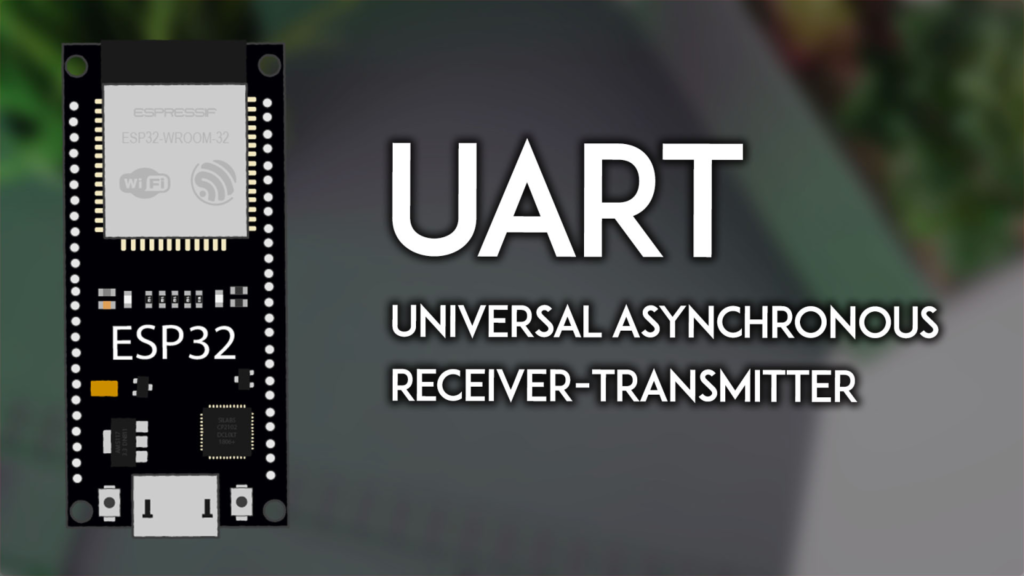
Understanding UART: The ESP32‘s Serial Communication Backbone
Он ESP32 чип оснащен three independent UART peripherals (UART0, UART1, and UART2), providing flexible options for various serial communication tasks. Each UART requires only three connections: TX (Transmit), RX (Receive), and a shared GND (Ground). Data is sent bit-by-bit, making it simple and reliable for many embedded applications.
A critical point is the default pin mapping, which varies by ESP32 model and can be reconfigured in software. For standard ESP32 boards (like the ESP32 DevKit V1), the defaults are:
-
UART0: GPIO 1 (TX), GPIO 3 (RX). Typically used for Serial Monitor and programming.
-
UART1: GPIO 10 (TX), GPIO 9 (RX). Often unusable in default state as these pins connect to flash memory.
-
UART2: GPIO 17 (TX), GPIO 16 (RX). Usually free for general use.
⚠️ Important Note for ESP32-S3 Users: The pinout differs significantly. UART0 is fixed to GPIO 43/44, while UART1 and UART2 offer full flexibility. Always consult your board’s pinout diagram.
Getting Started: UART0 and the Arduino Serial Monitor
The most common starting point is communicating with your computer via the Arduino IDE’s Serial Monitor. This uses UART0 over the board’s USB connection.
Upload this basic echo sketch to establish two-way communication:
String receivedMessage = "";

пустота настраивать() {
  // Initialize UART0 for Serial Monitor at 115200 baud
  Серийный номер.начинать(115200);
  Серийный номер.println("ESP32 Ready. Type a message:");
}

пустота петля() {
  пока (Серийный номер.доступный()) {
    чар c = Серийный номер.читать();
    если (c == ''\n'') { // Check for Enter key (newline)
      Серийный номер.печать("Echo: ");
      Серийный номер.println(receivedMessage);
      receivedMessage = ""; // Clear for next message
    } еще {
      receivedMessage += c; // Build the message
    }
  }
}
Upload and Test: Open the Serial Monitor (set to 115200 baud), type a message, and press Enter. The ESP32 will echo it back. This confirms your UART0 is functioning correctly.
Configuring Custom UART Pins with HardwareSerial
You are not limited to default pins. The HardwareSerial library allows you to assign UART functions to almost any GPIO pin. This is essential for using UART1 or creating multiple serial ports.
// Define your custom RX and TX pins
#определять CUSTOM_RX_PIN 16
#определять CUSTOM_TX_PIN 17

// Create a serial object on UART2
HardwareSerial mySerial(2);

пустота настраивать() {
  Серийный номер.начинать(115200); // Keep UART0 for debugging

  // Initialize custom UART2 at 9600 baud, 8N1 frame format
  mySerial.начинать(9600, SERIAL_8N1, CUSTOM_RX_PIN, CUSTOM_TX_PIN);
  Серийный номер.println("Custom UART2 Initialized.");
}

пустота петля() {
  // Your code using mySerial.read() and mySerial.print() here
}
Key Parameters in начинать():
-
Baud Rate: Speed (e.g., 9600, 115200). Devices must match.
-
Frame Format:
SERIAL_8N1(8 data bits, No parity, 1 stop bit) is standard. -
RX & TX Pins: Your chosen GPIOs.
Practical Application 1: Interfacing a GPS Module
A common real-world use for UART is reading data from modules like the NEO-6M GPS. Connect the GPS’s TX to your ESP32‘s RX pin (e.g., GPIO 16) and the GPS’s RX to the ESP32‘s TX pin (e.g., GPIO 17).
#определять GPS_RX 16
#определять GPS_TX 17
#определять GPS_BAUD 9600 // Standard NEO-6M baud rate

HardwareSerial gpsSerial(2); // Use UART2

пустота настраивать() {
  Серийный номер.начинать(115200);
  gpsSerial.начинать(GPS_BAUD, SERIAL_8N1, GPS_RX, GPS_TX);
}

пустота петля() {
  // Read and forward GPS data to Serial Monitor
  пока (gpsSerial.доступный()) {
    чар gpsData = gpsSerial.читать();
    Серийный номер.писать(gpsData); // Stream NMEA sentences
  }
  задерживать(500);
}
This sketch reads the raw NMEA sentences from the GPS and displays them on the Serial Monitor for parsing.
Practical Application 2: ESP32-to-ESP32 Communication
You can create a network of ESP32 using UART. One board acts as a Sender, another as a Receiver.
1. Wiring the Boards:
-
Connect Sender TX -> Receiver RX
-
Connect Sender RX -> Receiver TX
-
Connect GND -> GND (This is mandatory)
2. Sender Code (Transmits a counter):
#определять TX_PIN 19
#определять RX_PIN 21
HardwareSerial dataSerial(1); // Use UART1
инт counter = 0;

пустота настраивать() {
  Серийный номер.начинать(115200);
  dataSerial.начинать(9600, SERIAL_8N1, RX_PIN, TX_PIN);
}

пустота петля() {
  dataSerial.println(counter); // Send number
  Серийный номер.println("Sent: " + Нить(counter));
  counter++;
  задерживать(1000);
}
3. Receiver Code (Reads the incoming data):
#определять RX_PIN 21 // Connects to Sender's TX
#определять TX_PIN 19 // Connects to Sender's RX
HardwareSerial dataSerial(1);

пустота настраивать() {
  Серийный номер.начинать(115200);
  dataSerial.начинать(9600, SERIAL_8N1, RX_PIN, TX_PIN);
}

пустота петля() {
  если (dataSerial.доступный()) {
    String received = dataSerial.readStringUntil(''\n'');
    Серийный номер.println("Received: " + received);
  }
}
After uploading the respective codes, open the Serial Monitor for the Receiver board to see the incrementing numbers sent from the Sender.
Troubleshooting Common UART Issues
Even with correct code, hardware issues can arise. Here are solutions to frequent problems:
| Проблема | Вероятная причина | Решение |
|---|---|---|
| No data in Serial Monitor | Wrong baud rate or port. | Ensure the Serial Monitor baud rate matches the Serial.begin() rate in code. Select the correct COM/Port. |
| Garbage/random characters | Baud rate mismatch between devices. | Verify and set identical baud rates on both the ESP32 code and the connected device (GPS, other MCU). |
failed to connect to ESP32 |
Serial port is busy. | Close the Serial Monitor before uploading new code. |
| ESP32-S3 not working | Incorrect pin assignment. | Use the correct fixed pins for UART0 (GPIO 43, 44) on ESP32-S3. |
Полезный совет: For stable communication over longer distances or in noisy environments, consider using RS-485 transceiver chips with your ESP32’s UART.
Advanced Concepts and Best Practices
-
Buffer Management: For high-speed data, implement ring buffers to prevent data loss in the
петля(). -
Parsing Serial Data: Использовать
readStringUntil()or state machines to reliably parse complex messages (like NMEA sentences). -
Power Saving: You can disable UART peripherals with
mySerial.end()when not in use to reduce power consumption. -
Interrupts: В то время как
HardwareSeriallibrary uses interrupts internally, for custom protocols you can attach ISRs directly to GPIO pins.
UART remains one of the most straightforward and effective ways to connect your ESP32 to the world. By mastering default configurations, custom pin mapping, and practical applications like GPS interfacing and board-to-board communication, you unlock a vast range of project possibilities.
======================================