
Освоение прерываний GPIO ESP32 с помощью Arduino IDE: от основ до профессиональной реализации.
Unlocking Real-Time Responsiveness with ESP32 Прерывания
In the world of ESP32 embedded systems programming, achieving efficient and responsive applications often hinges on one critical concept: GPIO interrupts. Unlike continuous polling, which wastes precious processor cycles, interrupts allow the ESP32 to react instantaneously to external events—like a button press, a sensor threshold breach, or a motion detection—by temporarily pausing its main task. This comprehensive guide, updated for modern development practices, will transform you from an interrupt novice to a confident practitioner. We’ll dive deep into the attachInterrupt() function, explore robust debouncing techniques, build practical projects, and uncover advanced best practices often overlooked in beginner tutorials, ensuring your ESP32 projects are both responsive and reliable.
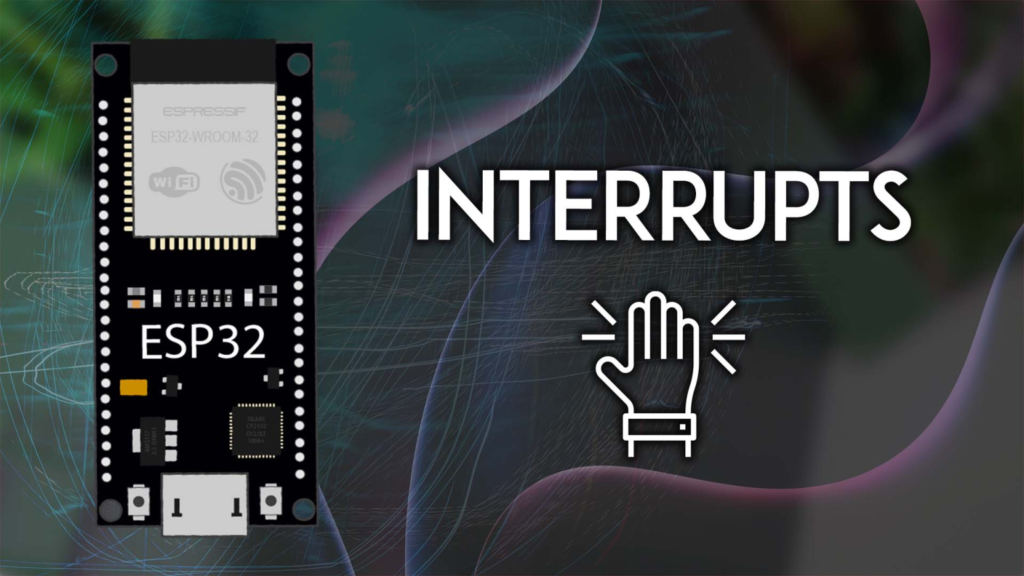
Understanding the Core: What Are Interrupts and Why They Matter
Ан interrupt is a hardware-driven signal that demands the processor’s immediate attention. Imagine a doorbell: you don’t stand by the door continuously checking if someone is there (polling); instead, you go about your business until the ring (interrupt) calls you to act. In microcontroller terms:
-
Main Program Execution: Your
петля()function runs normally. -
Event Occurs: A GPIO pin changes state based on your defined mode (e.g., a button is pressed, pulling the pin from HIGH to LOW).
-
Context Switch: The processor immediately saves its state and jumps to a special function called an Interrupt Service Routine (ISR).
-
ISR Execution: A short, dedicated piece of code runs to handle the event.
-
Resume: The processor reloads its saved state and seamlessly continues the main program from where it left off.
This mechanism is indispensable for:
-
Battery-powered projects, where minimizing CPU active time is key.
-
Real-time control systems, where millisecond delays are unacceptable.
-
Multi-tasking applications, where the ESP32 must manage several asynchronous inputs.
ESP32 Interrupt Capabilities: Beyond the Basics
Он ESP32 is exceptionally well-equipped for interrupts. Virtually every GPIO pin that can be configured as an input can also serve as an interrupt pin. This flexibility is far greater than on classic Arduino boards. Furthermore, the ESP32 supports multiple types of interrupts:
-
External GPIO Interrupts (the focus of this guide): Triggered by external voltage changes on a pin.
-
Timer Interrupts: Triggered by internal timers for periodic tasks.
-
Touch Interrupts: Unique to the ESP32, triggered by capacitive touch sensing.
Prerequisites: Gearing Up for Development
To follow this guide, ensure your development environment is ready:
-
Arduino IDE or VS Code with PlatformIO: We recommend ПлатформИО for better project management and library handling, though the code is fully compatible with the Arduino IDE.
-
ESP32 Комплект платы: Installed via the Arduino Boards Manager or PlatformIO.
-
Аппаратное обеспечение:
A Deep Dive into attachInterrupt(): Syntax and Parameters
The gateway to using interrupts in the Arduino framework is the attachInterrupt() function. Understanding its arguments is crucial.
attachInterrupt(digitalPinToInterrupt(pin), ISR_function, mode);
Let’s break down each parameter with expert-level insight:
1. GPIO Pin (digitalPinToInterrupt(pin))
While you can use the raw GPIO number, digitalPinToInterrupt() is the recommended, portable practice. It maps the physical pin to the internal interrupt number. On the ESP32, all input-capable pins (like GPIOs 0, 2, 4, 5, 12-19, 21-23, 25-27, 32-33) work.
2. The ISR Callback Function (ISR_function)
This is the function executed when the interrupt triggers. Writing proper ISRs is where many developers stumble. Adhere to these non-negotiable rules:
-
Keep it Short and Fast: The ISR should execute in microseconds. Lengthy operations block all other interrupts and tasks, leading to missed events or system instability.
-
Нет
delay()or Blocking Calls: Never usedelay(), lengthy loops, or Serial prints (Serial.print()) inside an ISR. These functions rely on interrupts themselves and will fail or crash the system. -
Используйте
ARDUINO_ISR_ATTRMacro: This attribute ensures your ISR is placed in the ESP32‘s fast Internal RAM (IRAM) instead of slower Flash memory. Missing this can cause crashes if the Flash is busy during an interrupt. -
Declare Shared Variables as
volatile: This instructs the compiler not to optimize this variable and to always read it from memory. This is critical because the variable can be changed in the ISR (asynchronous to the main code).
Example of a Properly Declared ISR:
// Correct ISR declaration and structure
пустота ARDUINO_ISR_ATTR handleInterrupt() {
    // 1. Set a volatile flag
    interruptFlag = истинный;
    // 2. Or safely increment a counter
    interruptCounter++;
    // THAT'S IT. Do not add more logic here.
}
3. The Interrupt Mode (mode)
This defines which electrical change on the pin triggers the interrupt. Choosing the right mode is critical for your application’s logic.
| Режим | Trigger Condition | Ideal Use Case |
|---|---|---|
RISING |
Pin goes from LOW → HIGH | Active-high buttons, PIR sensor when motion starts. |
FALLING |
Pin goes from HIGH → LOW | Active-low buttons (with pull-up resistor). |
CHANGE |
Pin changes state (either direction) | Rotary encoder pulses, monitoring any transition. |
ВЫСОКИЙ |
Pin state is HIGH (continuously) | Use with extreme caution. Can cause runaway interrupts. |
НИЗКИЙ |
Pin state is LOW (continuously) | Use with extreme caution. Can cause runaway interrupts. |
Expert Advice: Prefer RISING/FALLING over CHANGE where possible, as CHANGE can double-trigger for a single event. Avoid ВЫСОКИЙ/НИЗКИЙ modes unless you have a specific, controlled use case and implement a manual debouncing/deactivation logic, as they can lock the processor in a continuous interrupt loop.
Project 1: Professional-Grade Button Press Detection with Debouncing
Let’s apply this knowledge. A simple button press is plagued by contact bounce—a rapid, physical oscillation that creates multiple electrical transitions in milliseconds. Without handling it, a single press registers as dozens.
Circuit Connection
Connect a pushbutton between GPIO 18 and GND. We utilize the ESP32‘s internal pull-up resistor, so no external resistor is needed.
The Code: Robust and Debounced
#включать <Arduino.h>

// Hardware definition
константа uint8_t BUTTON_PIN = 18;

// Shared with ISR -> MUST be volatile
volatile bool buttonPressedFlag = ЛОЖЬ;
volatile без подписи длинный lastDebounceTime = 0;

// ISR: As fast as humanly possible
пустота ARDUINO_ISR_ATTR isrButton() {
    без подписи длинный currentMicros = micros(); // Use micros() for finer debounce
    если ((currentMicros - lastDebounceTime) > 200000) { // 200ms debounce in microseconds
        buttonPressedFlag = истинный;
        lastDebounceTime = currentMicros;
    }
}

пустота настраивать() {
    Серийный номер.начинать(115200);
    pinMode(BUTTON_PIN, INPUT_PULLUP); // Enable internal pull-up
    attachInterrupt(digitalPinToInterrupt(BUTTON_PIN), isrButton, FALLING); // Button press pulls LOW
    Серийный номер.println("Interrupt-driven button system ready.");
}

пустота петля() {
    // Main loop is free to do other tasks
    если (buttonPressedFlag) {
        // Handle the press in the main loop, where we can safely use Serial, delays, etc.
        Серийный номер.println("Button press detected and handled!");
        buttonPressedFlag = ЛОЖЬ; // Reset the flag

        // ... other complex logic (control LEDs, send network packets, etc.)
    }

    // Your other application code here
    // delay(100); // You can even use delays without missing button presses!
}
Why This Code is Superior:
-
Efficient Debouncing: Uses a time threshold (
200000µs) to ignore spurious triggers within the bounce period. The value can be adjusted based on your button’s physical characteristics (typically 50-200ms). -
Correct Trigger Mode: Uses
FALLINGbecause the pin is pulled up toВЫСОКИЙand goesНИЗКИЙwhen pressed. -
Flag-Based Design: The ISR only sets a
volatileflag. All “heavy lifting” (likeSerial.print) is done in theпетля(). This is the golden rule of interrupt handling.
Project 2: Motion-Activated System with PIR Sensor
PIR (Passive Infrared) sensors output a ВЫСОКИЙ signal when motion is detected. This is a perfect, real-world use case for interrupts in security or automation systems.
Circuit Connection
-
Connect the PIR sensor’s VCC to 5V (or 3.3V, check your sensor), GND to GND.
-
Connect the sensor’s OUT pin to GPIO 19.
-
Connect an LED (with a 220Ω series resistor) to GPIO 21.
The Code: Motion-Activated LED
#включать <Arduino.h>

константа uint8_t PIR_PIN = 19;
константа uint8_t LED_PIN = 21;

volatile bool motionDetected = ЛОЖЬ;
без подписи длинный motionStartTime = 0;
константа без подписи длинный LIGHT_DURATION = 5000; // Keep LED on for 5 seconds

пустота ARDUINO_ISR_ATTR isrPIR() {
    motionDetected = истинный;
    motionStartTime = миллис();
}

пустота настраивать() {
    Серийный номер.начинать(115200);
    pinMode(PIR_PIN, INPUT);
    pinMode(LED_PIN, ВЫХОД);
    digitalWrite(LED_PIN, НИЗКИЙ);

    // Interrupt triggers when PIR output goes HIGH (motion starts)
    attachInterrupt(digitalPinToInterrupt(PIR_PIN), isrPIR, RISING);

    Серийный номер.println("Motion detection system armed.");
}

пустота петля() {
    если (motionDetected) {
        Серийный номер.println("ALERT: Motion detected!");
        digitalWrite(LED_PIN, ВЫСОКИЙ); // Turn LED ON
        motionDetected = ЛОЖЬ; // Reset flag
    }

    // Automatically turn LED off after LIGHT_DURATION
    если (digitalRead(LED_PIN) == ВЫСОКИЙ && (миллис() - motionStartTime) > LIGHT_DURATION) {
        digitalWrite(LED_PIN, НИЗКИЙ);
        Серийный номер.println("Light turned off.");
    }

    // Your other non-critical tasks can run here
}
Advanced Techniques and Pro Tips
-
Disabling Interrupts (
detachInterrupt): UsedetachInterrupt(digitalPinToInterrupt(PIN));when you no longer need to monitor an event. This is useful for power saving or changing interrupt modes dynamically. -
Critical Sections with
portENTER_CRITICAL: If a block of code in your main loop must not be interrupted, wrap it with critical sections. Use sparingly!portENTER_CRITICAL(&timerMux); // Disable interrupts criticalVariable++; // ... other critical operations portEXIT_CRITICAL(&timerMux); // Re-enable interrupts
-
Interrupt Priorities (For FreeRTOS): When using the ESP32‘s FreeRTOS capabilities, you can assign priorities to different interrupt sources. Higher-priority interrupts can preempt lower-priority ones. This requires working directly with the ESP32‘s hardware interrupt matrix and is an advanced topic.
-
ISR-Friendly Data Structures: For passing data from ISR to main loop, consider using lock-free queues (like FreeRTOS queues) if you’re using an RTOS, or simple ring buffers for byte streams.
Troubleshooting Common Interrupt Pitfalls
| Проблема | Symptom | Likely Cause & Solution |
|---|---|---|
| System Crashes/Resets | ESP32 restarts when interrupt fires. | ISR is too long or uses functions not in IRAM (like Серийный номер). Ensure ARDUINO_ISR_ATTR is used and ISR is minimal. |
| Missed Interrupts | Button presses are ignored. | ISR is blocking. Another higher-priority interrupt is monopolizing. Shorten ISR, check for delay() в петля(). |
| Multiple Triggers | One press causes many actions. | Contact bounce. Implement software debouncing as shown, or use a hardware RC filter on the button. |
| “Volatile” Variable Corruption | Counter values are random or incorrect. | Shared variable not declared volatile. Also, for variables larger than a byte (like инт), an interrupt could corrupt it during a multi-cycle read/write on the main thread. Use atomic operations or critical sections. |
Conclusion: Integrating Interrupts into Your Projects
Mastering ESP32 GPIO interrupts fundamentally changes how you design responsive systems. By moving from passive polling to active event-driven programming, you free up the processor, reduce power consumption, and guarantee timely reactions to critical events.
Start by integrating a simple debounced button into your next project. Then, experiment with connecting multiple sensors (e.g., a button on GPIO 18 and a PIR on GPIO 19) to see how the ESP32 effortlessly manages concurrent, asynchronous events. Remember the core tenets: keep ISRs ultra-lean, use volatile flags, and handle logic in the main loop.
For further exploration, delve into the ESP32‘'s timer interrupts for precision timing or touch sensor interrupts for creating capacitive controls. The world of interrupt-driven design is vast, and your newfound skills are the key to unlocking the full potential of the powerful ESP32 microcontroller.
======================================