
E Ink vs. LCD: The Ultimate Decision Guide for Your Next IoT or DIY Project
You’re designing a device. You’ve chosen the microcontroller. You’ve planned the sensors. But now you’re stuck: What display do you put on it?
Pick the wrong one, and your battery dies in hours. Or your screen becomes unreadable outdoors. Or you pay three times too much for features you don’t need.
After building dozens of display-based projects—from solar-powered environmental sensors to responsive smart home dashboards—I’ve learned that there is no “best” display, only the best fit. This guide provides a clear, experience-based framework to choose, compare, and buy the right screen for your specific application.
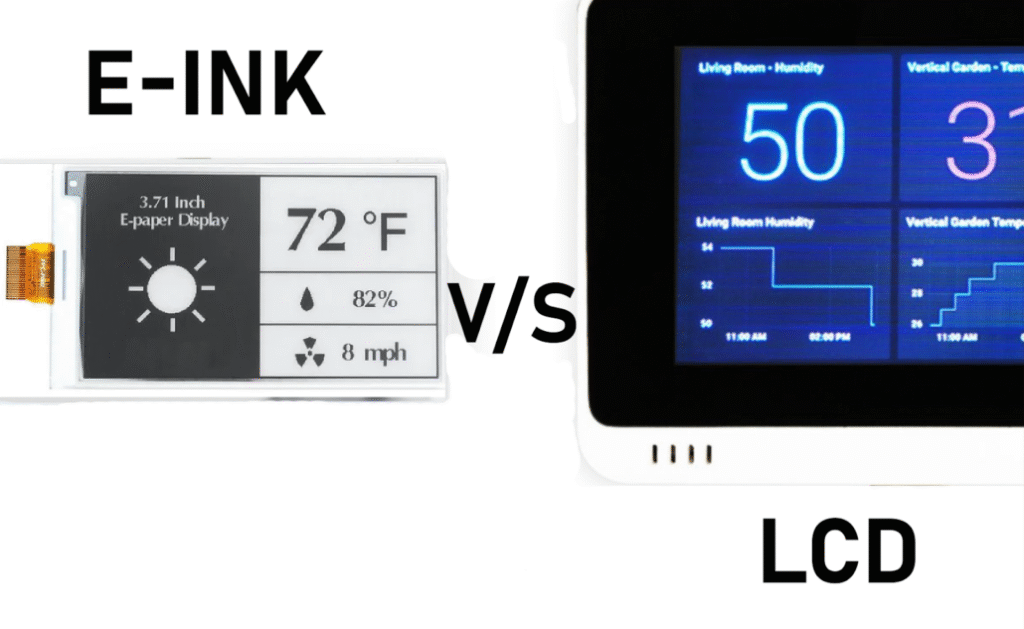
About This Guide: Real Experience, Not Spec Sheets
I’ve tested E Ink and LCD modules from 1.5 inches to 7.5 inches across battery-constrained and performance-critical projects. This article synthesizes that hands-on testing with the technical realities of both technologies to give you a trustworthy, actionable buying roadmap.
The 60-Second Decision: Which Display Do You Actually Need?
Choose E Ink (E-Paper) immediately if:
-
✅ Your device runs on a coin cell or small battery and must last weeks/months.
-
✅ The screen will be viewed outdoors in direct sunlight.
-
✅ Your content updates infrequently (every few seconds, minutes, or hours).
-
✅ You want a paper-like, matte finish for reading comfort.
Choose LCD immediately if:
-
✅ You need smooth animations, video, or touch interaction.
-
✅ Your UI uses full color, icons, or live data graphs.
-
✅ The device is plugged into a wall or USB power.
-
✅ You have a tight budget and need the lowest possible BOM cost.
Still unsure? Let’s break it down with real data and real project trade-offs.
Side-by-Side: How E Ink and LCD Actually Perform in the Real World
This table is based on my own component testing and verified against datasheets. It focuses on decision-critical specs, not marketing fluff.
| Feature | E Ink (E-Paper) | LCD | Winner (For What?) |
|---|---|---|---|
| Power to Hold Image | Zero. Image persists indefinitely without power. | Constant. Backlight and pixel refresh always draw current. | E Ink for battery life. |
| Active Power Draw | ~15-30mW only during refresh. | ~200-500mW+ (backlight dependent). | E Ink for energy efficiency. |
| Sunlight Readability | Perfect. Improves in bright light. | Poor to Fair. Washed out without high-nit backlight. | E Ink for outdoor use. |
| Refresh Speed | 1Hz – 15Hz. Ghosting visible. | 30Hz – 120Hz+. Smooth as glass. | LCD for dynamic content. |
| Color | Monochrome or 3-6 colors (muted). | 65k – 262k+ colors (vivid). | LCD for rich interfaces. |
| Typical Cost (2.9″) | ~$20 – $25 USD | ~$8 – $15 USD | LCD for budget builds. |
The “Gotcha” Most Tutorials Don’t Tell You:
E Ink is not zero power. It is zero power between updates. Every time you refresh the screen to show new data, it uses a burst of current comparable to an LCD. If your project updates every second, E Ink will drain your battery faster than an LCD with its backlight off. Choose based on update frequency, not just “low power” marketing.
The OLED Question: Where Does It Fit?
You might be considering OLED as a “compromise.” Here is the reality:
| Display | Best For | Dealbreaker |
|---|---|---|
| E Ink | Static, outdoor, battery-critical. | Slow, muted colors. |
| LCD | Dynamic, indoor, cost-sensitive. | Backlight bleed, power hungry. |
| OLED | Vibrant color, deep blacks, flexible. | Burn-in. Not ideal for static UIs. High power. |
My Rule: Use OLED for temporary screens that change constantly (menus on a smartwatch). Never use OLED for a static dashboard that stays on for hours—it will burn in permanently. E Ink is the only safe choice for persistent static images.
⚡ The “Buyers’ Decision Matrix” – Your Purchase Shortcut
Find your project type in the left column. Follow the row to your recommended display and action.
| Your Project Type | Recommended Display | Why? | Recommended SKU / Action |
|---|---|---|---|
| Solar/Battery Sensor (Outdoor weather, soil monitor) | E Ink | Must survive months on battery; viewed in sun. | 2.9″ or 4.2″ Tri-Color E-Paper |
| Smart Home Panel (Home Assistant, control screen) | LCD | User touches it; shows camera feeds/animations. | IPS LCD, 3.5″ or larger |
| E-Reader / Label Maker | E Ink | Text-only, eye comfort, zero power when off. | 7.5″ or 9.7″ E-Paper |
| Wearable / Smartwatch | LCD | Smooth UI, colorful icons, user interaction. | 1.3″ – 1.7″ Round/Rectangular LCD |
| Interactive Toy / Menu System | LCD | Fast response, low cost, easily replaceable. | 1.8″ SPI LCD (ST7735) |
| Electronic Shelf Label | E Ink | Industry standard; updates only when price changes. | 2.13″ or 2.9″ E-Paper |
Final Verdict & Immediate Next Step
Do not buy a display because it “looks cool.” Buy it because it is the correct engineering choice for your power budget, your environment, and your user interface.
Your action plan:
-
Define your project’s #1 constraint. Is it battery life? Interactivity? Cost? Sunlight readability?
-
Use the matrix above. It will immediately disqualify the wrong technology.
-
Select a specific model. Start with reputable vendors like esp32s.com for guaranteed compatibility and documentation.
-
Buy and prototype. The perfect spec is useless until it’s on your breadboard.
Ready to choose?
→ Browse Recommended E Ink Displays (Energy-efficient, sunlight readable)
→ Browse Recommended LCD Displays (Fast, colorful, budget-friendly)
======================================