
Build Your Own Portable ESP32 GPS Tracker: From Basics to Advanced Tips
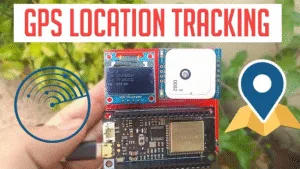
*Imagine hiking through remote wilderness without relying on spotty phone signals. Your custom-built device—smaller than a wallet—records every step, streams your location to loved ones, or guides you back at sunset. This isn’t sci-fi; it’s what you achieve with an ESP32 and GPS module.*
Why ESP32 Dominates DIY GPS Trackers
The ESP32 isn’t just a microcontroller; it’s a Swiss Army knife for location-based projects:
-
Dual-core power: Handles GPS data parsing, Wi-Fi/Bluetooth sync, and user interfaces simultaneously.
-
Built-in connectivity: Upload data to the cloud via Wi-Fi or cache it locally when off-grid.
-
Ultra-low cost: Boards start under $10, democratizing real-time tracking.
Core Components You’ll Need
-
ESP32 Board: Opt for the ESP32-S3 for enhanced power efficiency or ESP32-C3 for cost-sensitive builds.
-
GPS Module:
-
*Neo-6M*: Budget-friendly (~$15), ideal for hobbyists.
-
Reyax RYS352A: High sensitivity for tree cover/canyons.
-
-
Power Source: 18650 Li-ion battery (3.7V) with a TP4056 charger module for 8–12 hours runtime.
-
Optional Peripherals:
-
0.96″ OLED display for coordinates/speed.
-
MicroSD card slot for offline track logging.
-
Step-by-Step Build Guide
1. Hardware Wiring
-
GPS ↔ ESP32:
-
GPS TX → ESP32 RX2 (GPIO16)
-
GPS RX → ESP32 TX2 (GPIO17)
Critical: Avoid the default Serial (UART0) pins—they conflict with USB debugging. UseSerial1orSerial2.
-
-
Antenna Placement: Mount vertically with a clear sky view. Use a passive helical antenna for better signal lock in forests.
2. Software Essentials
Libraries:
-
TinyGPS++(decode NMEA data) -
WiFiClientSecure(HTTPS cloud sync) -
SPI(for SD card logging)
Code Snippet: Dual-Mode Logging
#include <TinyGPS++.h>
TinyGPSPlus gps;
HardwareSerial GPS_Serial(1); // Use UART1

void setup() {
  Serial.begin(115200);
  GPS_Serial.begin(9600, SERIAL_8N1, 16, 17); // RX=16, TX=17
}

void loop() {
  while (GPS_Serial.available() > 0) {
    if (gps.encode(GPS_Serial.read())) {
      if (gps.location.isValid()) {
        // Save to SD card
        logToSD(gps.lat(), gps.lng());
        // Or upload to cloud if Wi-Fi connected
        uploadToCloud(gps.lat(), gps.lng());
      }
    }
  }
}
Cloud vs. Offline: Data Sync Strategies
| Method | Pros | Cons |
|---|---|---|
| Cloud (GeoLinker API) | Real-time global tracking, geofencing alerts | Requires Wi-Fi/cellular 23 |
| Offline (MicroSD) | Works in deserts/oceans, no subscription fees | Manual data retrieval 5 |
| Hybrid Mode | Caches data when offline, auto-syncs when online | Complex state management |
Pro Tip: Use
ESP32.deepSleep()between 5–60 second intervals to slash power use by 80% during static tracking.
Troubleshooting Common Issues
-
“No Fix” after 15 minutes?
-
Send
$PQTMRESTOREPAR*13to reset GPS module configurations. -
Ensure the antenna isn’t shielded by metal components.
-
-
Inaccurate Coordinates?
-
Wait for ≥7 satellite locks (HDOP < 2.0 = high accuracy).
-
Add a BMM150 compass module for dead-reckoning in urban canyons.
-
Project Inspiration: Beyond Basic Tracking
-
Wilderness Trail Mapper: Logs GPS waypoints every 30 seconds, plots routes via GeoLinker. Battery lasts 16+ hours.
-
Asset Tracker: Embed in vehicles/drones. Geofence triggers SMS alerts using IFTTT.
-
Glacier Research Pod: Solar-powered, transmits ice-movement data via satellite IoT (using Blues Wireless Notecard).
Conclusion: Your Gateway to Precision Tracking
The ESP32 transforms GPS tracking from complex engineering into an accessible weekend project. Whether monitoring a backpack in the Andes or tracking migratory birds, you control the data—without monthly fees or opaque algorithms.
Your Turn: What will you track? Share your build notes in the comments below!
*Last tested on ESP32-S3 DevKit v1.0 with firmware v2.0.11.*
References/Credits:
======================================
About ESP32S.com