
Build Your Own ESP32 Smart Energy Meter: Slash Bills with Real-Time Monitoring
Picture watching your electricity bill drop 15% as you detect vampire loads, balance phases, and schedule high-wattage devices off-peak—all using a $25 DIY monitor. With ESP32’s processing power and IoT capabilities, transform raw current data into actionable savings.
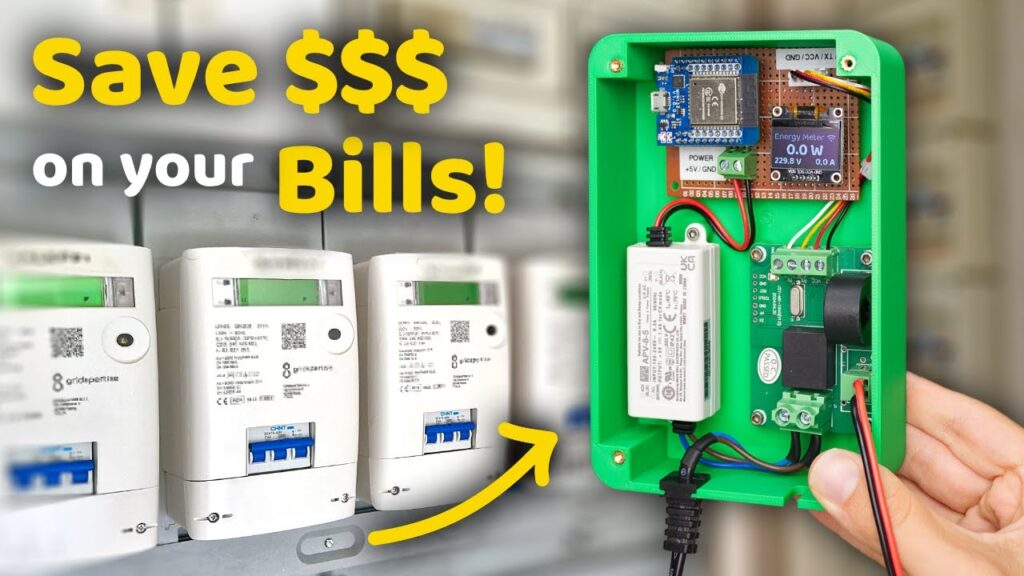
Why Track Energy? The Shocking Truth
Residential buildings waste 20-30% of electricity (US DoE). Commercial ESP32 solutions cost $200+, but a DIY build offers:
-
Real-time appliance profiling: Spot energy hogs like old AC units or standby devices
-
Grid independence: Monitor solar/wind input during outages
-
Utility-grade accuracy: Achieve ±1% error with proper calibration
Component Selection: Balance Cost vs. Precision
| Component | Key Function | Critical Specs | Cost |
|---|---|---|---|
| ESP32-S3 | Processing & Connectivity | Dual-core, 8MB PSRAM for data buffering | $6 |
| ZMPT101B | AC Voltage Sensing | 220V/110V input, 0-5V output | $2 |
| SCT-013-030 | Non-invasive CT Clamp | 30A max, 1V/A output | $8 |
| PZEM-004T v3 | All-in-one Meter (Alt.) | UART interface, built-in calc | $12 |
| 0.96″ OLED | Local Display | I2C interface, 128×64 pixels | $4 |
Safety First: Always use 3D-printed enclosures rated for mains voltage. Never expose bare PCBs!
Wiring & Signal Conditioning: Industrial-Grade Accuracy
Circuit Design Essentials:
AC Line (L) → [ZMPT101B] → ESP32 GPIO34 (ADC1)
CT Clamp → [22Ω Burden Resistor] → ESP32 GPIO35 (ADC1)
ESP32 GPIO21/22 → OLED SDA/SCL
Critical Calibration Steps:
-
Phase Compensation:
// Adjust for CT clamp phase shift (typically 1.7° @ 50Hz)
float phaseShift = 0.0297; // radians
realPower = Vrms * Irms * cos(φ - phaseShift);
-
Voltage Calibration:
-
Measure wall voltage with multimeter → Scale ZMPT101B output
-
-
CT Linearization:
-
Test with known loads (100W bulb, 1500W heater)
-
Firmware: From Raw ADC to kWh Insights
1. Core Libraries
#include <EmonLib.h>   // Energy calculations
#include <Adafruit_GFX.h>
#include <Adafruit_SSD1306.h> // OLED
#include <WiFi.h>
#include <PubSubClient.h> // MQTT
2. Real Power Calculation
void loop() {
  sampleV = analogRead(VOLT_PIN) * 0.0008; // Convert ADC to volts (3.3V ref)
  sampleI = analogRead(CURRENT_PIN) * 0.0008;

  // Apply calibration factors
  Vrms = sampleV * 216.7; // For 220V systems
  Irms = sampleI * 30.0;  // SCT-013-030 scaling

  realPower = Vrms * Irms * powerFactor;
  energy += realPower * (sampleInterval / 3600000.0); // kWh
}
3. Data Transmission
void publishData() {
  client.publish("home/energy/power", String(realPower).c_str());
  client.publish("home/energy/kwh", String(energy, 3).c_str());
}
Cloud Integration: Turn Data Into Action
| Platform | Strengths | Visualization Example |
|---|---|---|
| Home Assistant | Local control, no cloud fees | Real-time power flow diagrams |
| ThingsBoard | Advanced analytics, anomaly det. | Cost projection charts |
| Google Sheets | Simple CSV logging | Appliance usage pie charts |
Case Study: Berlin maker reduced bills 18% by:
Identifying 24/7 80W server drain
Shifting laundry to off-peak hours
Adding automation: “IF solar > 3kW THEN enable EV charging”
Advanced Techniques for Utility-Grade Performance
-
Harmonic Filtering
// Apply 50/60Hz bandpass filter
float filteredI = filter50Hz(rawI, sampleRate);
-
Voltage Sag Detection
-
Trigger UPS switch-on when voltage < 200V (220V systems)
-
-
Predictive Maintenance
-
Flag motor degradation when current harmonics increase >15%
-
Safety & Certification Considerations
-
Isolation: Use double-insulated CT clamps (SCT-013)
-
Enclosure: IP54 rating minimum for garage/outdoor use
-
Legal Note: “This meter provides guidance only. Utility billing requires certified equipment.”
Real-World Applications Beyond Homes
-
Solar Farm Monitoring
-
Track input vs. grid export profits
-
-
EV Charging Stations
-
Enforce max current limits per socket
-
-
Industrial Machine Health
-
Detect bearing failures from motor current signatures
-
Troubleshooting Common Issues
-
Noisy Readings?
-
Add 0.1µF capacitors between ADC pins and GND
-
Separate CT wires from mains cables
-
-
WiFi Disconnects?
-
Use
WiFi.setSleep(false)to prevent RF interference
-
-
ADC Overflow?
-
Attach 100kΩ resistors as voltage dividers
-
Knowledge is Power – Literally
While utilities charge more each year, your ESP32 meter becomes the ultimate financial advisor: revealing hidden costs, enabling smart automation, and paying for itself in months.
“You can’t manage what you don’t measure. Now you measure everything.”
Start saving today: Which appliance will you audit first? Share your build journey below!
Resources & Credits
Disclaimer: Working with mains voltage requires expertise. Consult an electrician for permanent installations.
======================================